 ViewGraph
The most tedious part of joining an iOS team isn't writing code
Inheriting a large SwiftUI codebase is mostly a search problem. Here is the before/after workflow.
ViewGraph reads a SwiftUI project and draws the view graph: the screens that exist, the components they are built from, how they connect, what their previews render, and what a commit actually changes.
A comprehension tool that sits beside Xcode and your AI assistant — not a replacement for either. Everything runs locally on your Mac.
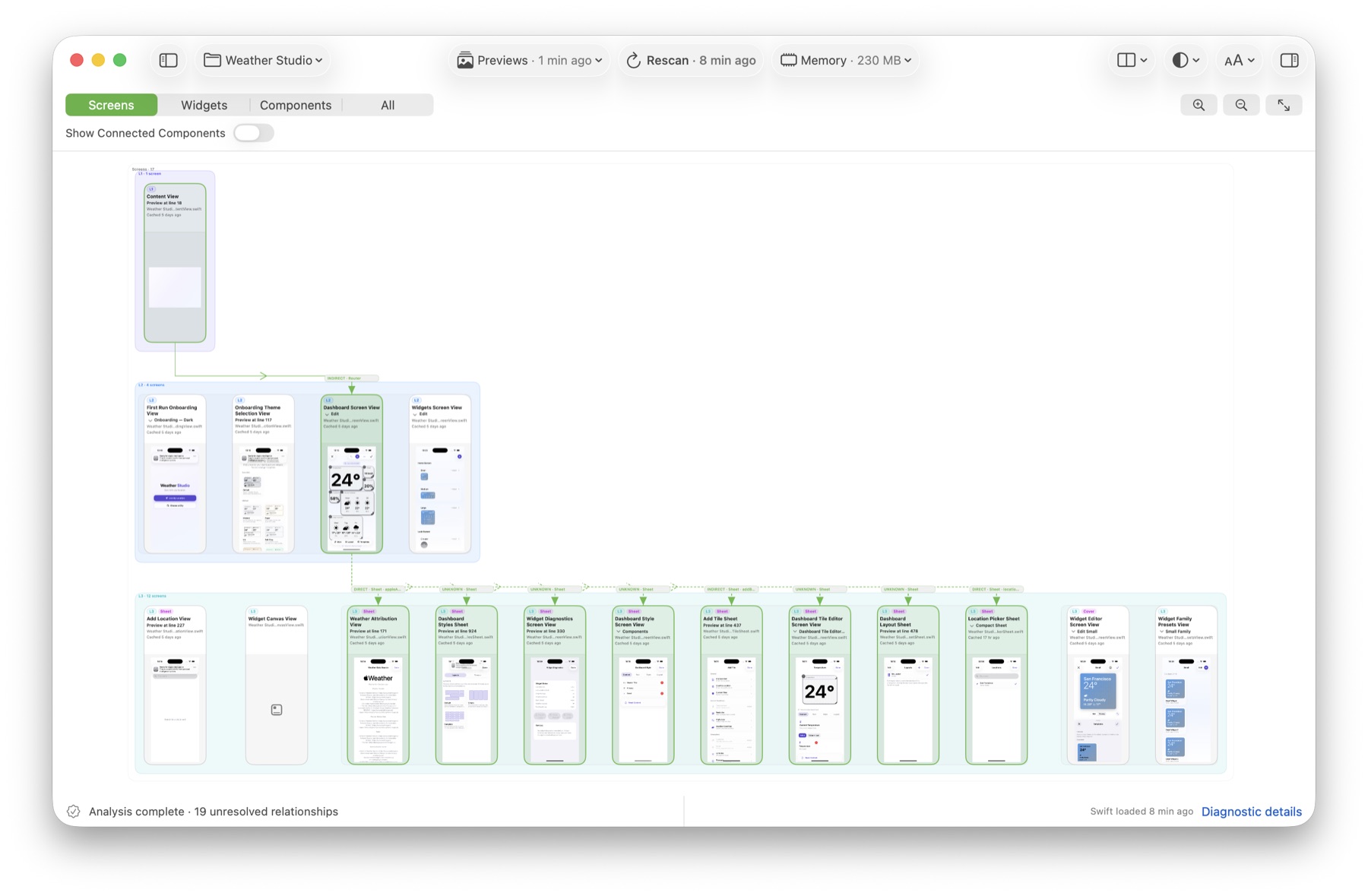
The most important structure is the part nobody draws for you.
Views are declared one type per file, so an app's shape is spread across the whole project. Finding it means reading a lot of code that has nothing to do with your question.
Nothing tells you which screens share a component. Text search finds occurrences, not relationships — and you have to remember what you already checked.
A pull request shows changed lines, not the screens, flows and previews those lines can break. You find out by running the app.
Five views onto the same analyzed graph, all built from your source.
Every screen and the path between them. Sheets, pushes, covers and the app root are drawn as distinct connections.
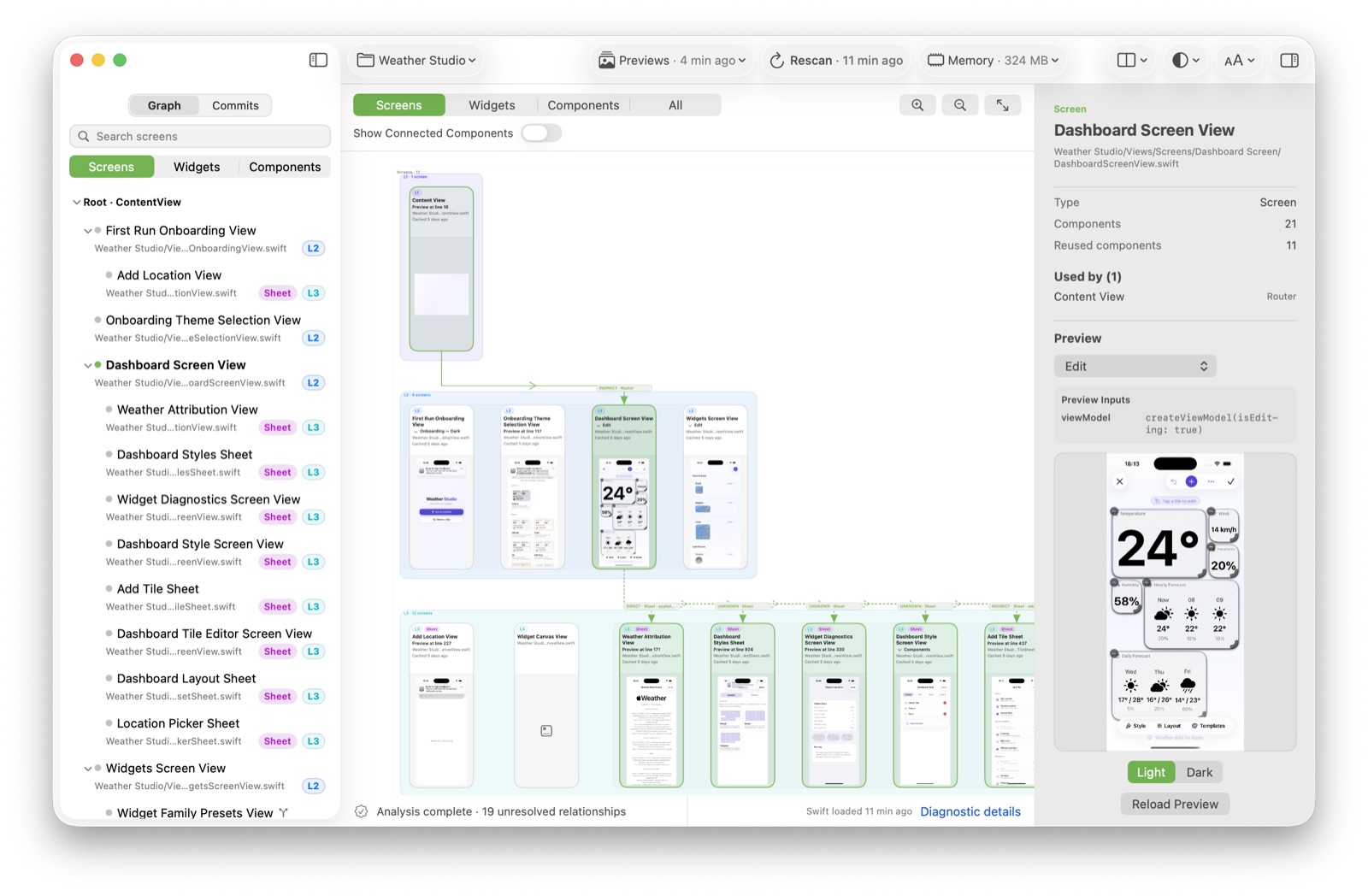
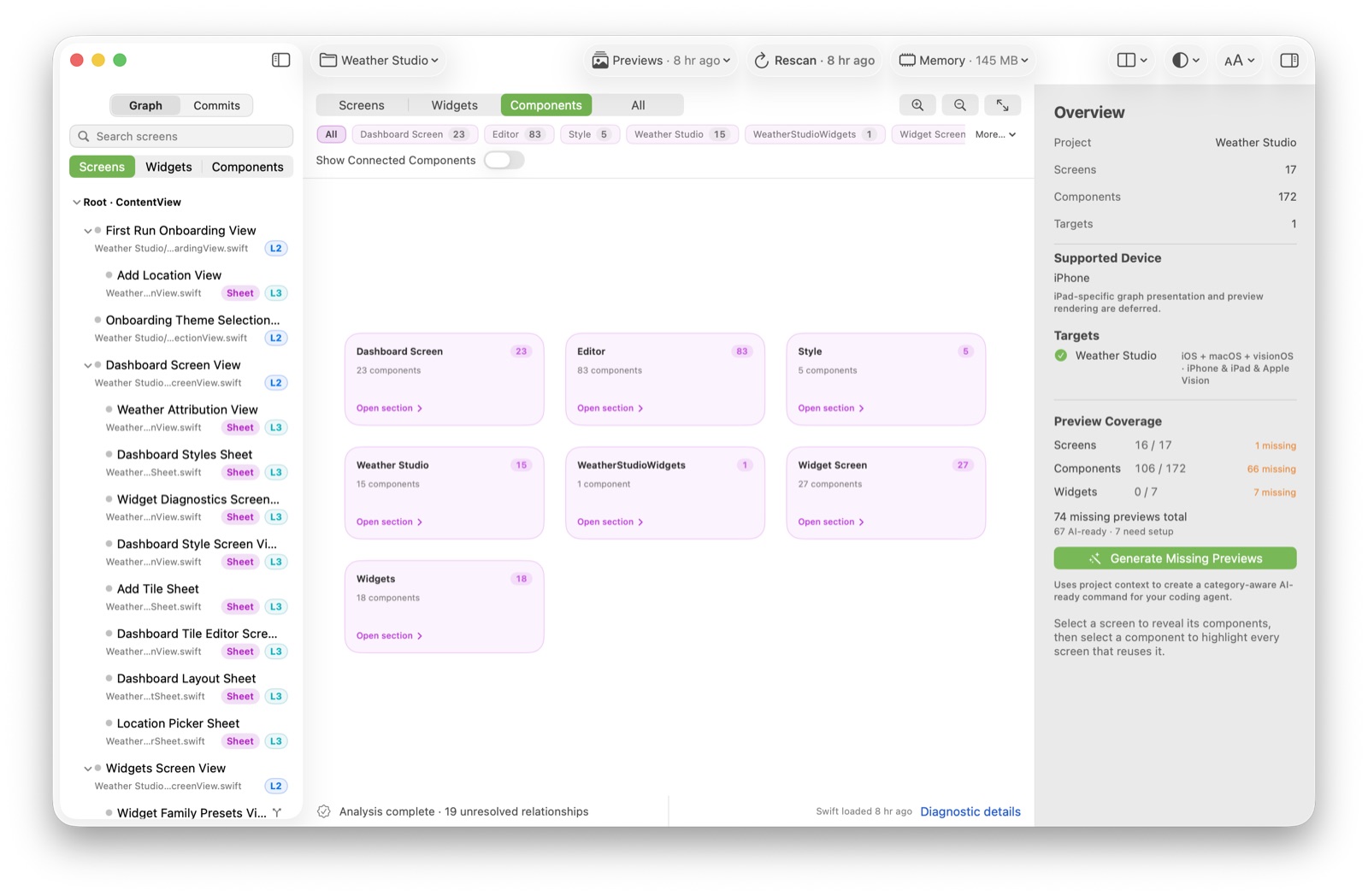
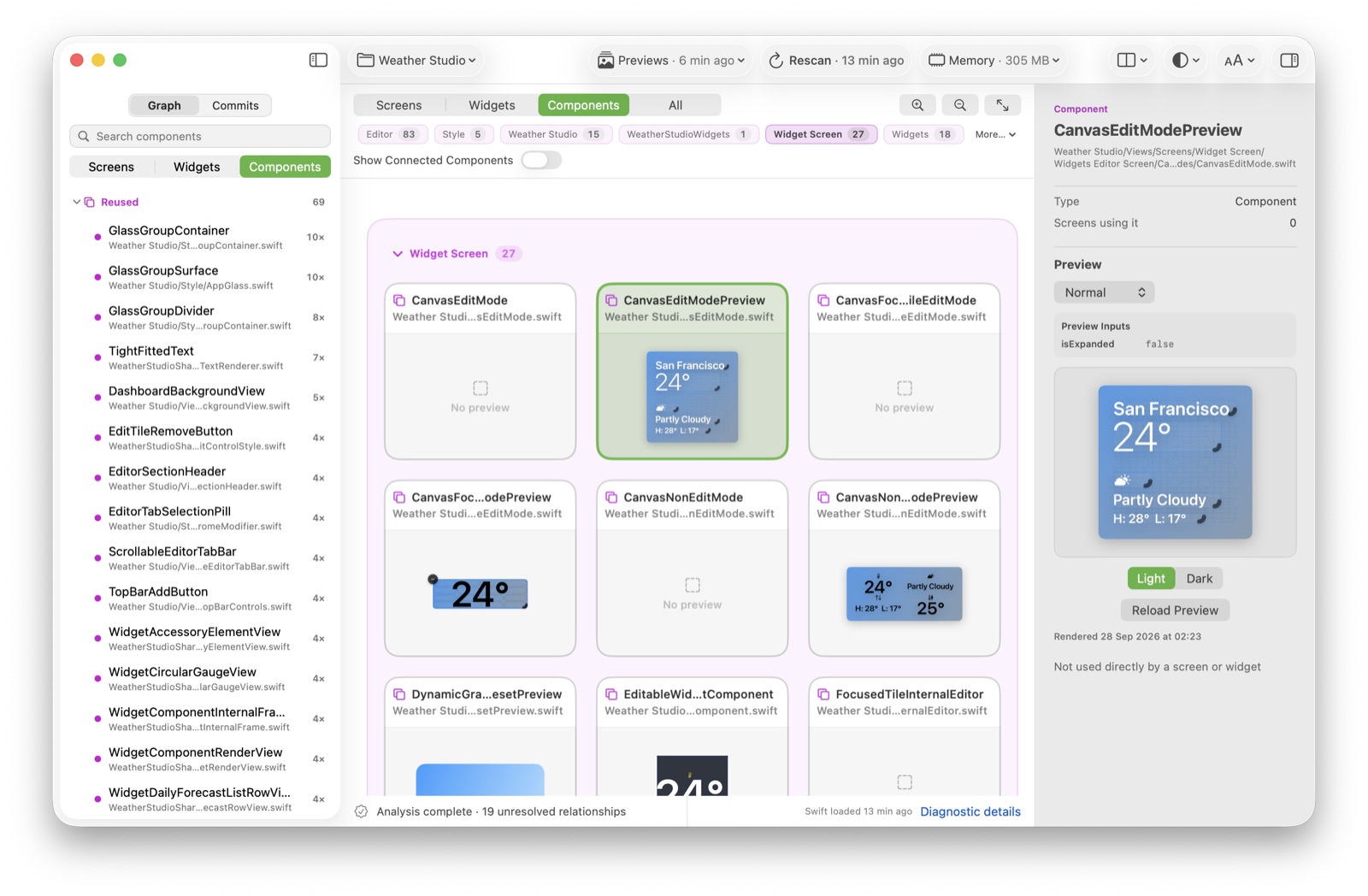
Select a component to highlight every screen that uses it; select a screen to see the components it is built from.
Edges for literal navigation, typed destinations, composition and reuse — with unresolved relationships reported, not hidden.
Authored previews are discovered, rendered through the Simulator and attached to the graph, cached per revision.
Compare two revisions to see which screens, components and files a commit touches — before and after, without reading the whole diff.
When a destination is computed at runtime, ViewGraph says so and counts it instead of drawing a connection it cannot prove.
Concrete situations where a graph of the app beats a folder tree.
Inheriting a large SwiftUI codebase is mostly a search problem. The graph replaces the first week of grep-and-open.
Read the articleThe mental map you built a year ago is gone. Open the project and the structure is drawn again in seconds.
A purchased template or vendor drop gives you no onboarding. ViewGraph classifies screens, components and widgets for you.
See which screens and previews a change reaches before you read the diff — so review starts with impact, not line count.
Give yourself and your assistant an accurate overview to reason against, then verify the change against the real structure.
It answers one question the other tools answer badly, then gets out of the way.
Compiles, runs and debugs the app. The source of truth for behaviour.
Draws the screen graph, component reuse, previews and commit impact from your source.
Explains functions and proposes changes — better when it has an accurate map to reason against.
ViewGraph does not build, run or edit your project. It reads it, draws what it can prove, and reports what it cannot — so you spend less time reconstructing structure and more time changing it deliberately.
ViewGraph is early, and it is deliberately honest about that.
ViewGraph analyzes Swift source statically with swift-syntax.
That means it can show structure the compiler understands, but it
cannot know everything a running app does. Navigation built from data
at runtime, or destinations chosen by a string, may not resolve into a
connection. The canvas reports unresolved relationships rather than
pretending they are complete.
Previews are rendered through Xcode and the iOS Simulator, so preview workflows need a working Xcode installation. Without it, analysis, the canvas, bookmarks and Git history still work; previews report that the toolchain is unavailable. Some project structures and preview edge cases are unsupported in the current alpha.
The production app has no telemetry and no application-managed networking. Xcode and Swift Package Manager may still download dependencies during preview workflows, and previewed project code can perform its own network requests.
Real developer problems, written in the first person.
Inheriting a large SwiftUI codebase is mostly a search problem. Here is the before/after workflow.
NavigationStack, routers, feature modules and composition — and what static analysis can and cannot infer.
From source scanning to authored-preview discovery, host injection, capture, caching and fallbacks.
ViewGraph 0.1.0-alpha.2 is a signed, notarized universal build for macOS 15 or later. Previews need Xcode 16 or later.